About the Modern Minimal layout
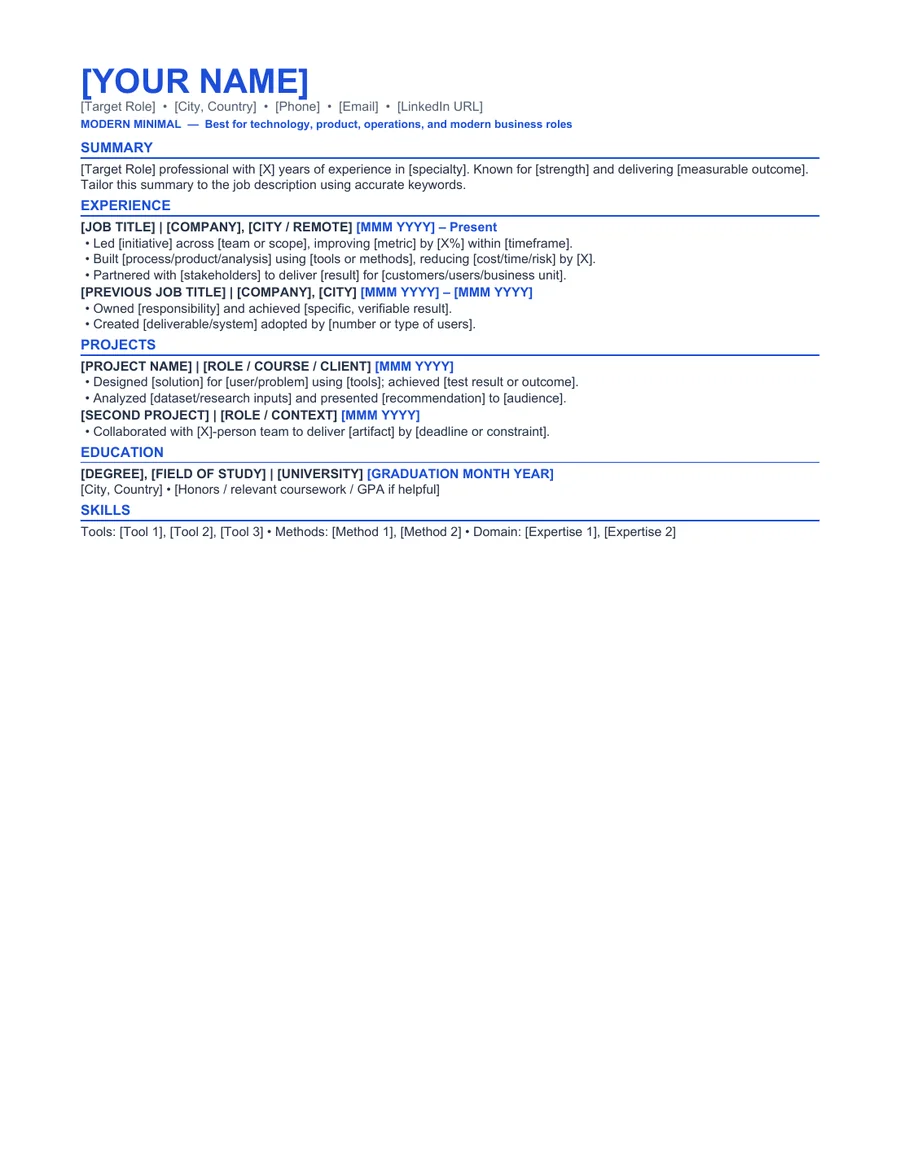
Modern Minimal is the most flexible single-column template in the collection. It uses a restrained cobalt accent, standard section names, and a straightforward reading order suitable for a wide range of technology and business roles.
The layout keeps contact information, summary, experience, projects, skills, and education in one continuous reading order. It avoids sidebars, skill ratings, icons in place of labels, and other elements that can make editing or parsing less predictable.
Who this template is for
Best for
Candidates who want a modern but conservative Word resume
Best for
Technology, product, operations, project, and general business roles
Best for
Applicants who prefer a single-column reading order
When to choose another layout
A general template still needs role-specific content. Change the summary, skills, and bullet evidence for every serious application rather than sending the same wording to unrelated roles.
Recommended resume sections
- Targeted Summary - state the role and strongest relevant evidence.
- Experience - organize accomplishments under each employer.
- Projects - add evidence from independent, academic, or cross-functional work.
- Skills - group relevant tools and capabilities.
- Education - keep it proportionate to career stage.
Copyable summary framework
[Target role] with [X years] of experience in [relevant function or industry]. Delivered [specific work] that improved [verified outcome] and brings strengths in [two or three capabilities relevant to the posting].
Resume bullet examples
Replace every bracketed prompt with facts you can explain in an interview. Remove any example that does not match your work.
- Led [project or responsibility] for [team, customer, or business area], resulting in [verified outcome].
- Improved [process or metric] from [before] to [after] by [specific action].
- Coordinated with [stakeholders] to deliver [scope] within [time, budget, quality, or other constraint].
How to edit the Word template
- Download and extract the ZIP file.
- Open the DOCX file in Microsoft Word or a compatible editor.
- Replace every placeholder and sample line with your own information.
- Remove unused sections and keep spacing consistent.
- Export a PDF, reopen it, and check every page before applying.
Role-specific editing tips
- Use one accent color and maintain strong contrast.
- Keep paragraph text at a readable size.
- Remove any section that adds no evidence.
- Export a PDF after editing and check every page break.
ATS and formatting note
This template uses common section labels, selectable text, and system fonts. Those choices can reduce avoidable formatting problems, but ATS products and employer configurations differ. Always follow the job posting and test the final DOCX or PDF yourself. Read our How to Write a Resume That Passes ATS for a practical formatting checklist.
Frequently asked questions
Is this modern resume template for word really free?
Yes. The Word and PDF files are available without payment, account creation, or email submission. The personal-use license is explained in the Terms of Service.
Can I edit the template in Microsoft Word?
Yes. The ZIP includes an editable DOCX file and a reference PDF. After editing, export a fresh PDF and inspect page breaks, spacing, links, and contact details.
Does this template guarantee that an ATS will accept my resume?
No. Applicant tracking systems and employer configurations differ. The template uses readable headings and common document formats, but no template can guarantee parsing, ranking, an interview, or a job outcome.