About the Prism layout
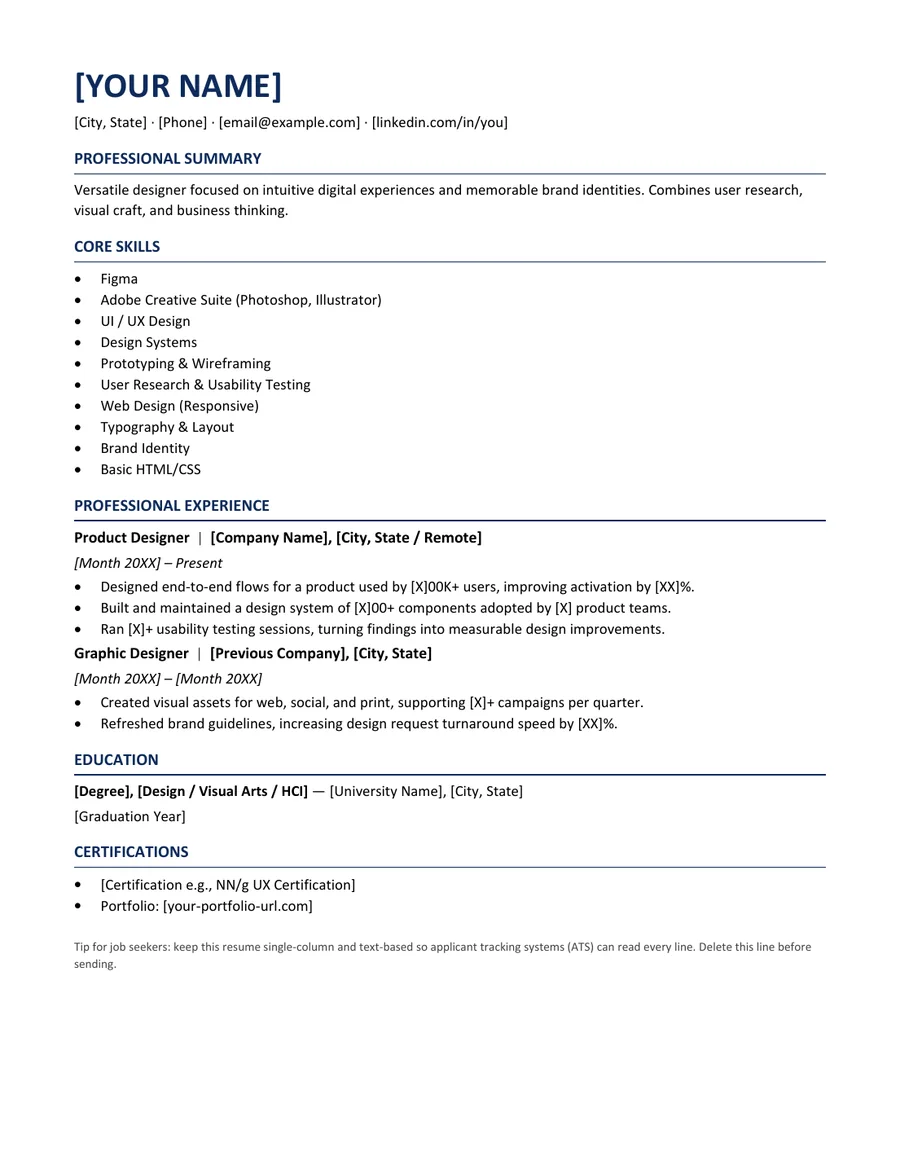
Prism gives product designers a small amount of visual personality while keeping the resume separate from the portfolio. It emphasizes role context, design decisions, collaboration, and outcomes instead of replacing evidence with large graphics or software logos.
Design resumes can become visually impressive but difficult to scan. Prism uses a readable text hierarchy, a visible portfolio link, and concise project evidence so the document supports the portfolio rather than competing with it.
Who this template is for
Best for
Product designers, UX designers, UI designers, and design researchers
Best for
Candidates with a portfolio or case studies
Best for
Designers who need to show collaboration and product outcomes
When to choose another layout
The resume should not duplicate full case studies. Use it to establish relevance and direct the reader to a focused portfolio with work you are permitted to show.
Recommended resume sections
- Design Profile - define product area, audience, and strengths.
- Experience - connect research and design decisions to shipped work.
- Selected Projects - link only to relevant case studies.
- Methods and Tools - separate methods from software.
- Education - include relevant design or research education without crowding the page.
Copyable summary framework
Product designer with [X years] of experience designing [product or service type] for [audience]. Led [research, interaction, or system work] that improved [verified user or business outcome] and partnered with [product, engineering, research, or other teams].
Resume bullet examples
Replace every bracketed prompt with facts you can explain in an interview. Remove any example that does not match your work.
- Designed and validated [feature or workflow] through [research methods], addressing [user problem].
- Partnered with product and engineering to ship [feature], contributing to [verified result].
- Created or expanded [design system/component library], reducing [rework, inconsistency, or delivery time].
How to edit the Word template
- Download and extract the ZIP file.
- Open the DOCX file in Microsoft Word or a compatible editor.
- Replace every placeholder and sample line with your own information.
- Remove unused sections and keep spacing consistent.
- Export a PDF, reopen it, and check every page before applying.
Role-specific editing tips
- Put the portfolio link near the contact information.
- Describe the problem and outcome, not only the screen you designed.
- Clarify your contribution when work was collaborative.
- Do not include confidential screenshots in either the resume or portfolio.
ATS and formatting note
This template uses common section labels, selectable text, and system fonts. Those choices can reduce avoidable formatting problems, but ATS products and employer configurations differ. Always follow the job posting and test the final DOCX or PDF yourself. Read our How to Write a Resume That Passes ATS for a practical formatting checklist.
Frequently asked questions
Is this product designer resume template really free?
Yes. The Word and PDF files are available without payment, account creation, or email submission. The personal-use license is explained in the Terms of Service.
Can I edit the template in Microsoft Word?
Yes. The ZIP includes an editable DOCX file and a reference PDF. After editing, export a fresh PDF and inspect page breaks, spacing, links, and contact details.
Does this template guarantee that an ATS will accept my resume?
No. Applicant tracking systems and employer configurations differ. The template uses readable headings and common document formats, but no template can guarantee parsing, ranking, an interview, or a job outcome.